Building Second Skin in public: an app for your tattoos 🌹
October 31, 2026 · 9 min read
Hi! 👋🏻 If you’ve read either of my last two posts, you’ve probably seen me mention Second Skin and then quickly move on to something else… well, this time it finally gets a post all to itself.
I’ve decided I’m going to build it in public. So every once in a while i’ll do a little write up to say how far i’ve gotten, which bits I got wrong along the way and what are some things i’ve learned. This first one is really just an introduction which also aims to show you what i’ve done so far 🚀.
Second Skin is an iOS app for keeping track of your tattoos. The tagline is “Your tattoos, from idea to healed.” and the app is split into four tabs that pretty much follow that journey:
- Collection. The pieces you already have, either as a photo grid or dotted around a body map.
- Ideas. Moodboards for the tattoos you’re thinking about, with references saved from Instagram, Pinterest, Safari or your own photos. Also the aim in the future here is to include foundation models to let the app suggest ideas to you based on the things you’ve got previously, got saved etc.
- Bookings. Your upcoming sessions, and then a quick “How did it go?” once they’ve happened, so things like time in the chair, cost and a pain score out of 10 are scored.
- Stats. Hours in the chair, how much of your skin is covered, your go-to artist, your most painful session and a few more. This should hopefully just be a fun way to keep track and should help when you get the dreaded
How many have you got?question.
Running through all of it is aftercare. When you finish a session you can start an aftercare routine (usually the one your artist gave you) and the app will remind you of each step every day until it’s healed. This is mainly just to help remind you as the app in no way will be giving medical information.
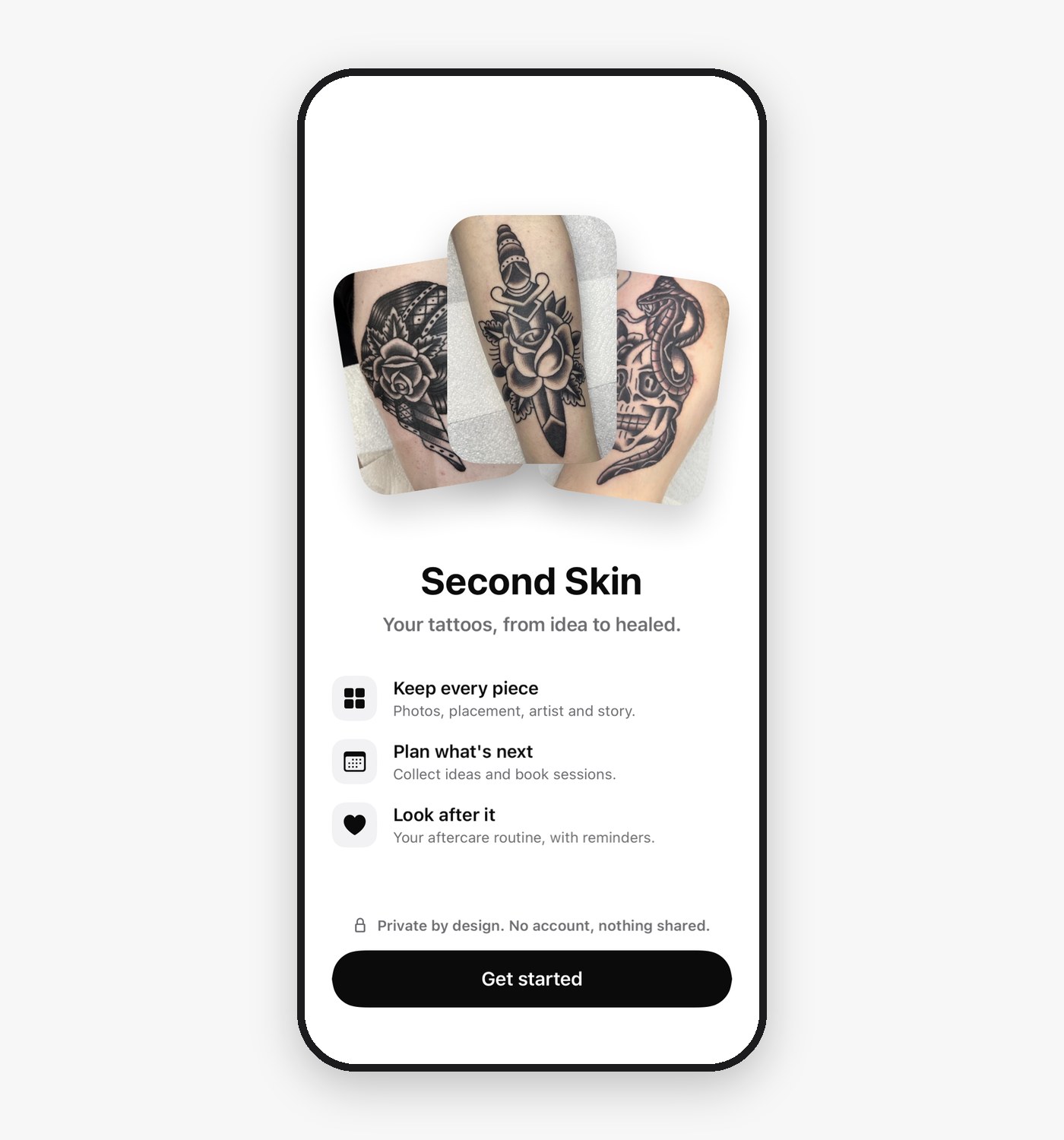 The Welcome screen, with three of my own pieces. 🌹
🖋️ Why build it?
I’m a bit of a tattoo enthusiast myself, I started really just appreciating tattooing for what it is. I think that all started for me as I’ve always been into Hardcore & Metal music and tattooing is quite prominent in those scenes. This led to me being interested in traditional tattooing and then has led to me having quite a lot of tattoos myself. Every piece you see in-app as promotion will likely just be one of my own tattos.
Over the years getting tattoo’d i found that it was often hard to keep track of appointments, usually had to just add the booking into my own calendar and hope i’d remember. I then had to remember days before the session to do things like buy aftercare, buy food etc and prep for the session. I then had a bit of a hard time collating ideas I wanted to get in the longer term and also keeping track of pictures of the pieces I had. All of this led to me wishing there was something simple and beautiful in place to do all of this.
🏷️ Why “Second Skin”?
“Second skin” is actually the name for the protective film that goes over a fresh tattoo. I liked that the name also is resonant with tattoos being your second skin and since the app is about collection of your tattoos it makes sense that the app really is your second skin.
🔒 Private by design
Tattoos can be pretty personal, so this was one of the first things I decided on: no sign-up, no ads, no tracking and no servers.
Everything lives on your devices and syncs through your own iCloud account using CloudKit’s private database. There are no Second Skin servers for your data to end up on, which also means I never see any of it. If you’re signed out of iCloud it all just stays on your device. The aim is for the App Store privacy label to say “Data Not Collected”, and for that to actually be true. I also think this is incredibly important as for a lot of us, our tattoos really are a thing we’ve done for ourselves, so I think storing this type of information should be the same.
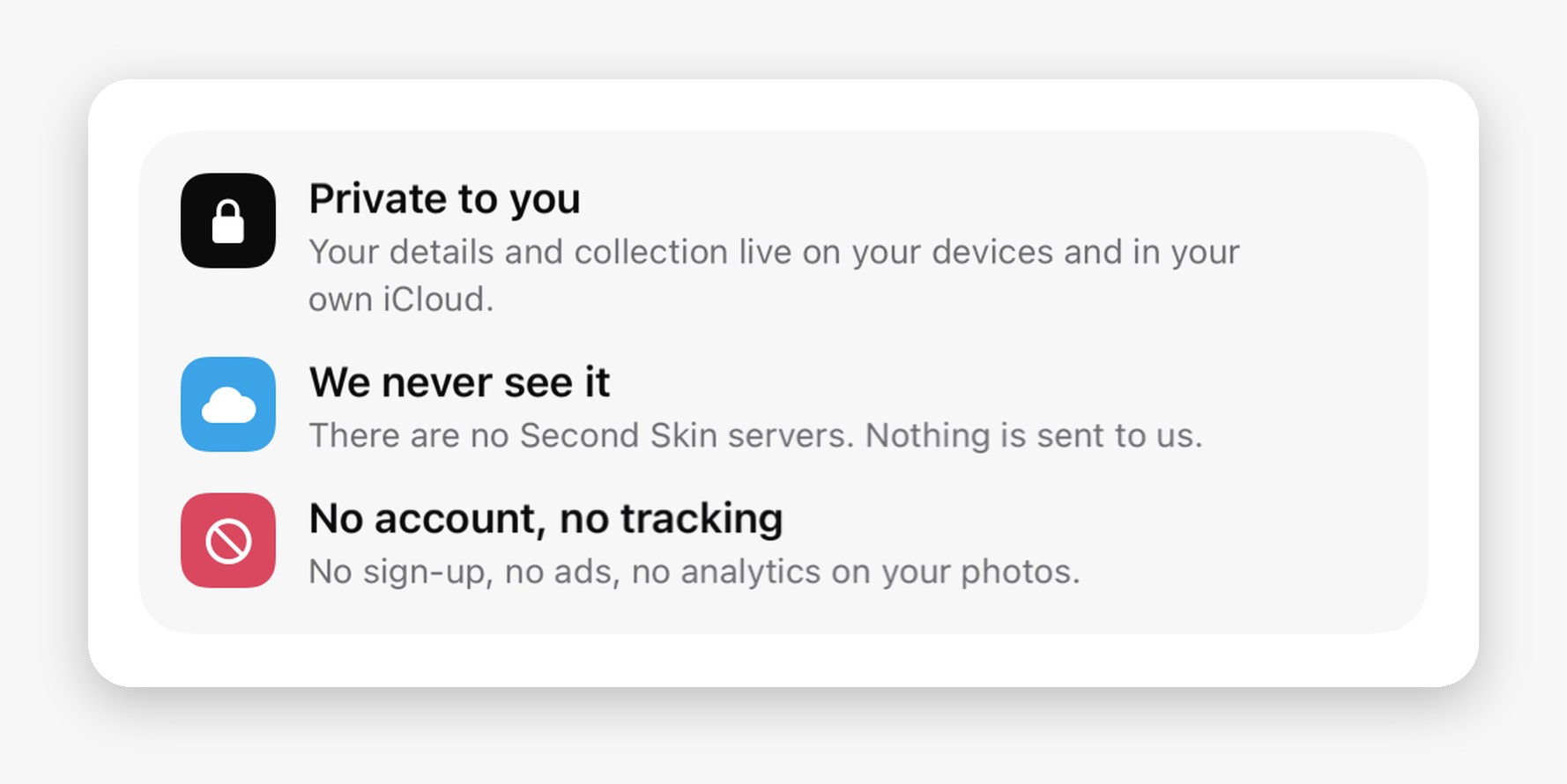 The privacy promises you see when you first set up the app.
🎨 The design
Before writing any code I sat down and tried to be inspired by some of my favourite apps. I used the help of AI to just collate a mood board of all different designs the apps I really love have used. This then let me mock up a few different ideas for how Second Skin will look. In the end the clean native look won for me. I think if the app is going to hold lot’s of your tattoos, lot’s of information and potentially lot’s of colourful things, I would prefer that the app itself is quite clean and stripped back so you can see exactly what you are looking for. Thefore….
- Photos lead. Your tattoos are the hero, so the app is built around big rounded photo cards and grids.
- Liquid Glass for controls only. The tab bar, toolbar buttons and floating controls get glass, and anything sitting on top of a photo gets a plain frosted material instead, as the HIG suggests.
- Colour in small doses. The surfaces are neutral, with one rose accent (
#D9485F) for primary actions and whatever’s coming up next. - Standard iOS type sizes only. No custom font sizes, so Dynamic Type just works.
🧱 The tech
For anyone curious, here’s what it’s being built with:
- SwiftUI, targeting iOS 27 with Liquid Glass, running on iPhone, iPhone Duo and iPad from v1. Supporting the bigger screens from the start keeps my layouts honest.
- SQLiteData from Point-Free for the database and CloudKit sync, instead of SwiftData.
- Swift Dependencies for swapping in fakes for things like the clock, notifications and photos.
- SnapshotTesting for image tests of every screen.
SQLiteData was probably the biggest decision so far. SwiftData would have been the obvious pick, but SQLiteData gives me live queries that work inside my @Observable screen models (not just in views), plain SQL for all the stats sums and counts, and CloudKit sharing. That last one means one day you could share an idea with your artist without me needing to run a backend. The trade-off is writing my migrations by hand in SQL, which to be fair has been a nice refresher.
💡 Tip: CloudKit only lets you add to your schema once it’s in production, you can’t rename or delete fields. If you’re syncing with CloudKit, it’s worth spending a bit more time on your data model up front before anything ships.
🤝 How I’m building it
In my last post I mentioned the one rule I set for this project: I write the code. Claude explains things, reviews my work and writes the parts I hand over to it, which is usually the repetitive stuff I don’t learn much from. For example, I wrote the first few database tables myself to learn the pattern and then handed the rest over once I had it down.
The rest of the process is pretty much how I’d want a team to work:
- A branch and pull request for every change. With a template, no more than 15 files, then squash and merge.
- Requirements before code. Before I start a ticket, Claude writes up a list of requirements, kind of like a product manager would. This honestly just helps me stay on track when i’m building things.
- Decision records in the repo. Things like “why iPad from v1” or “why the design system grows from screens” get written down in the same PR as the code.
- A review before every PR. Claude runs a code review on my changes before I raise them.
- A handoff at the end of every session. A skill I wrote saves where I got to in Obsidian, so the next session can pick straight back up.
It’s probably a lot of process for a side project, but it means I can put it down for a week and come back without wondering what on earth I was doing.
It’s also honestly my first time using AI in a side project. I think for me, using AI is helping because this is a side project. I’m working as an iOS Engineer for 8.5 hours during the day before I even sit down to work on this project. If i didn’t at least try and lean into AI to help streamline the process I probably wouldn’t reach the MVP stage.
📍 Where it’s at
I started on 15 October and as of writing there are 18 merged pull requests. So far that’s:
- The design, the architecture plan and a release plan for v1.
- The whole database schema, plus sample data built from photos of my own tattoos.
- The app shell, with all four tabs.
- Onboarding: a Welcome screen and an “About you” screen for your name, photo and currency. No account needed.
- A debug menu (shake the device in a debug build) to reset onboarding, wipe the data or load the sample data.
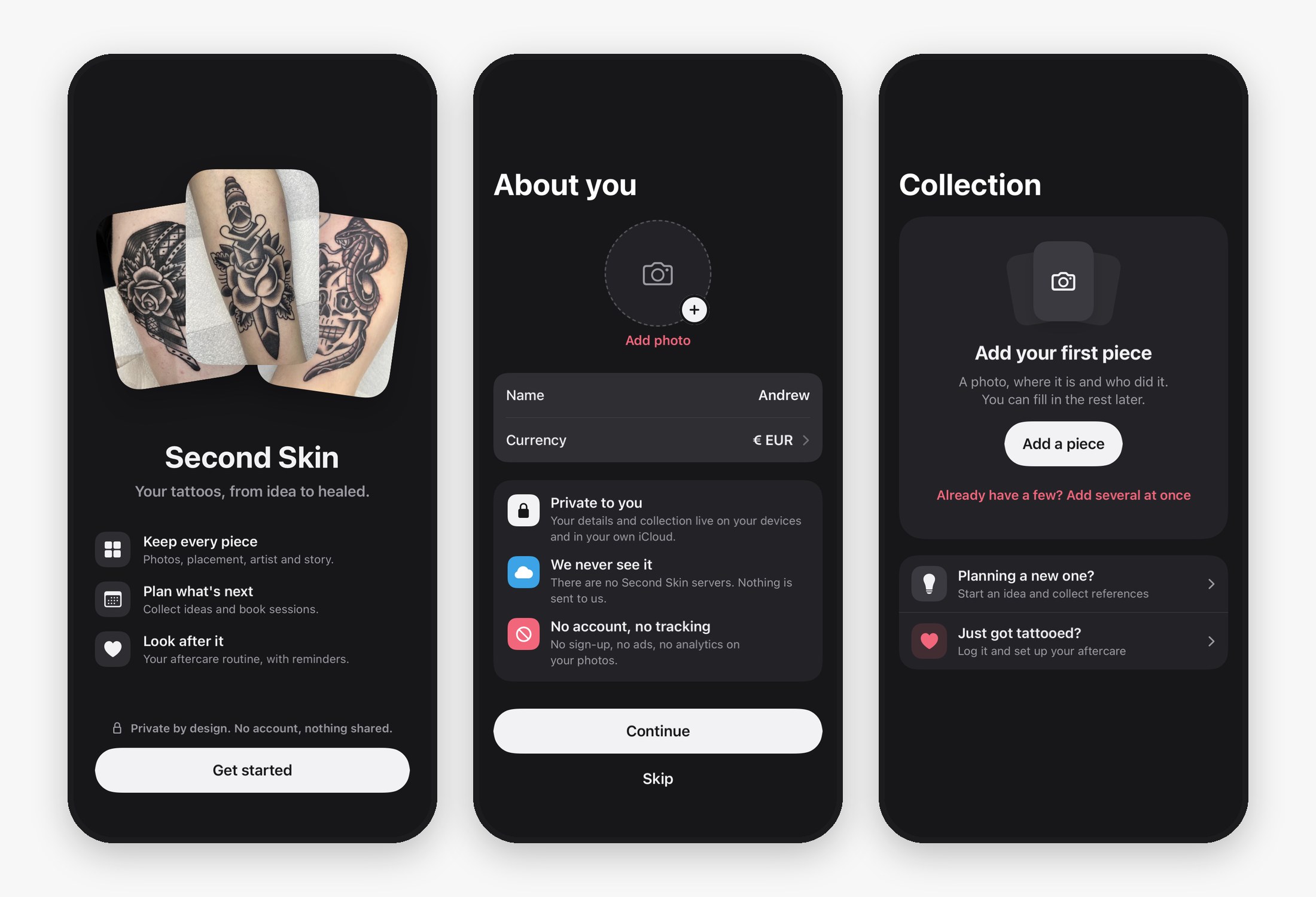 Where things are right now, in dark mode: Welcome, About you and an empty Collection.
v1 is going to include all four tabs, aftercare, reminders and the share extension for saving ideas. Things like on-device AI suggestions for ideas, search and widgets will come later. There’s also a little Easter egg planned for v1, but I’m going to keep that one quiet for now. 🤫
🔜 What’s next?
Next up is the Collection tab: the photo grid, adding a piece and the body map. That means building a proper photo pipeline, which should make for a good post of its own.
Along the way I’m also planning to write about:
- Choosing SQLiteData over SwiftData, and what it’s like day to day
- Designing an app with AI as a sounding board (and the app icon saga)
- Building for iPhone, iPhone Duo and iPad from day one
- What it’s like making a rule that you write the code when AI could just do it
If you’ve got tattoos, I’d love to know how you keep track of yours right now and what you’d want from an app like this. And if there’s a part of the build you’d like me to go deeper on, let me know in the comments. 👇🏻
Thanks for reading! If you’d like more, you can subscribe with RSS or follow me on dev.to.